
The captain taps the new display, opens a chart, overlays sonar, adds engine data and discovers that the actual route now occupies one quarter of the glass. Outside, the entrance buoy passes off the bow. Electronics rarely fail so theatrically. More often they succeed at showing too much while the operator gives them too much attention. The useful question is not how much chartplotter can fit. It is how much information the next decision requires.
Begin with the hardest normal day
Do not size a system for the calm demonstration ride. Think about the hardest condition the boat handles routinely: bright low sun, rain, a narrow island passage, dusk return or rough approach. What must be visible then? A lake boat may need chart, depth and speed. A coastal cruiser may need chart, radar, AIS targets, tide and autopilot status.
“Routinely” matters. Buying for an imagined offshore voyage can burden years of ordinary use. Conversely, a captain who regularly crosses fog-prone water should not dismiss radar as unnecessary because most summer afternoons are clear. Risk, frequency and consequence belong in the same sentence.
Three boats, three correct answers
A seventeen-foot fishing boat on familiar inland water may be well served by a seven-inch chart/sonar unit with excellent transducer placement. A twenty-four-foot family cruiser using unfamiliar lakes benefits from a nine-inch display, current charts and VHF position integration. A thirty-five-foot coastal boat may justify two displays, radar, AIS, autopilot and independent backups.
The expensive coastal system is not “better” aboard the fishing boat. It consumes helm space, electrical capacity and training time. The compact lake unit is not adequate for a radar-dependent approach. Correctness is contextual.
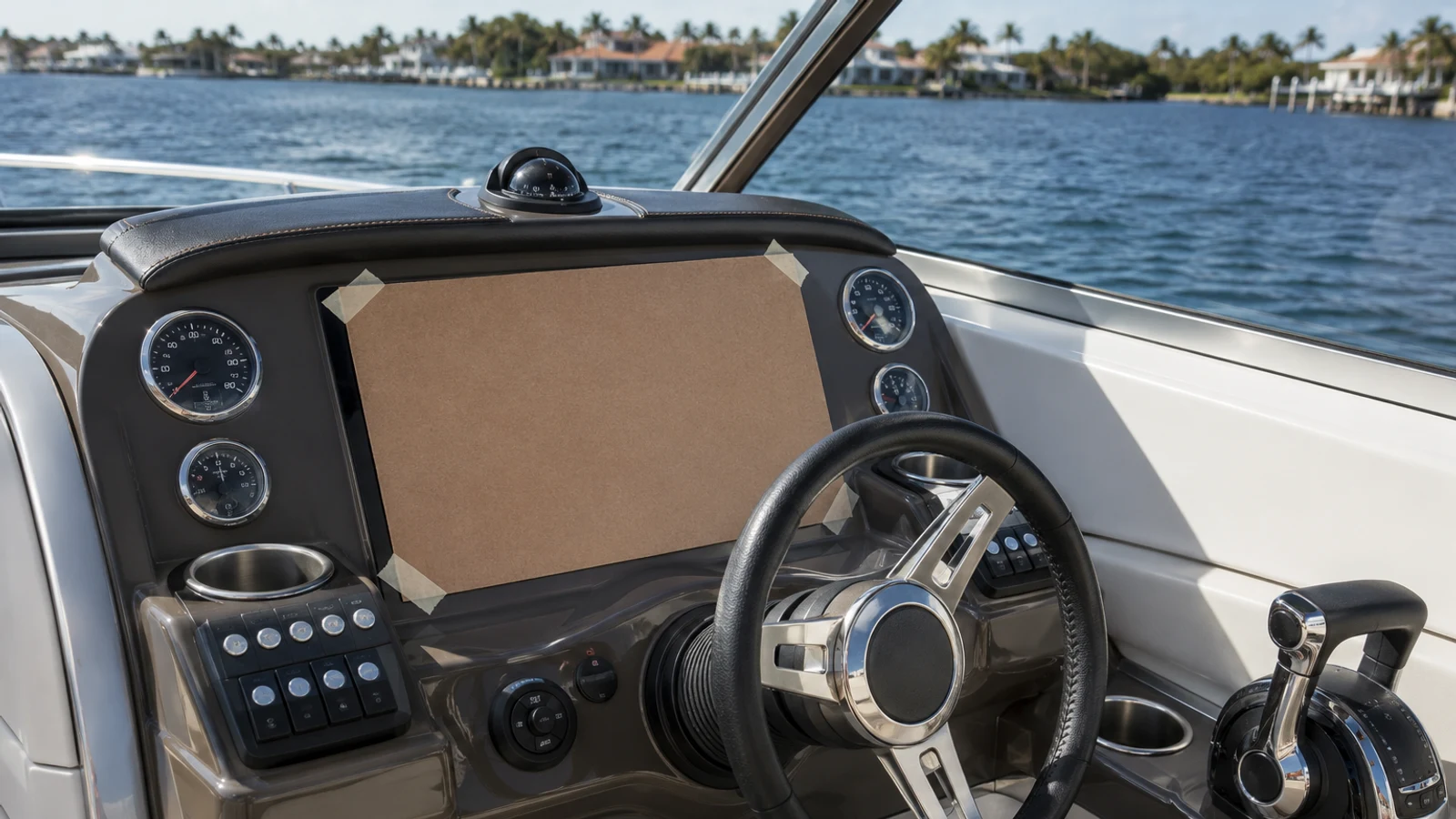
The cardboard helm
Before shopping, trace the full display dimensions onto cardboard. Include the bracket, connector clearance and sun cover. Tape it to the helm and operate the wheel and throttle. Sit and stand. Ask the shortest and tallest regular operators to read imaginary depth numbers and reach the corners.
This cheap exercise reveals problems that spec sheets hide: a gauge blocked by the bezel, a hatch that cannot open, glare from an impossible angle or cables with no place to bend. Screen diagonal is a television measurement. Helm fit is a three-dimensional installation.
Seven versus nine inches
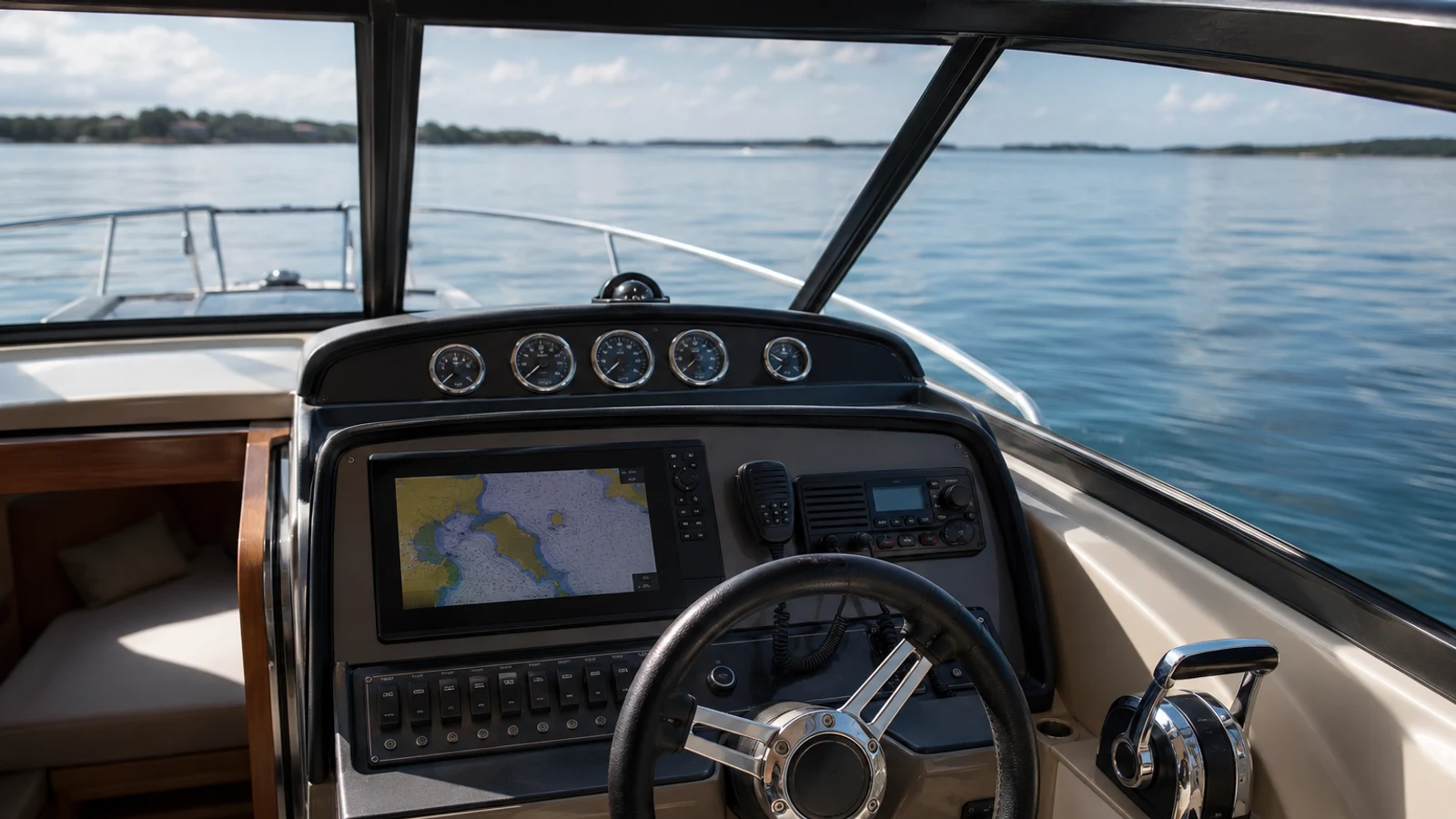
Seven inches remains useful when the display normally shows one chart or sonar view and the helm is close. The unit can be affordable enough to leave budget for the right transducer and wiring. Split the screen and touch targets shrink quickly.
Nine inches is often the sweet spot because the outer dimensions remain manageable while chart/sonar or chart/radar combinations become readable. The improvement is not 2/7ths; usable pane area grows more meaningfully. Above nine, the decision depends on viewing distance, number of simultaneous panes and the physical helm. A twelve-inch display mounted too low is worse than a nine-inch display placed well.
Navigation, fishing or both
Fishing buyers often prioritize sonar processing, side imaging and transducer ecosystems. Cruisers care more about chart clarity, radar, AIS and route handling. Family boaters may need neither advanced side scan nor a full network. They need a clear depth alarm, reliable map and interface that a second adult can learn.
Hybrid use creates the hardest purchase. Write the priority order. If safe navigation is first and fishing is occasional, do not choose a difficult chart interface to gain one sonar view. If the boat fishes four days a week, the transducer may deserve more budget than the screen.
Charts and the false comfort of detail
High-resolution contours and community layers can look authoritative. They remain data with limitations. Verify chart region, age and source. Learn which layers are official, enhanced or user-generated. Keep navigation alerts and updates current.
More detail can encourage tighter routes. That is useful when supported by reliable survey and dangerous when treated as permission to cross unfamiliar shallow water. The screen should support conservative piloting, not turn every cove into a shortcut.
Radar and AIS: different tools
Radar detects returns from land, weather and objects that reflect energy. AIS broadcasts or receives vessel information when properly equipped and operating. AIS does not show every boat; radar does not identify every target. Together they improve awareness, but both require interpretation.
A radar overlay depends on heading and position data being correct. Poor calibration can make a reassuring picture dangerously wrong. Add radar when the route and visibility justify it, then train in clear weather. Do not wait for fog to learn gain, range and target trails.
Power quality before processor speed
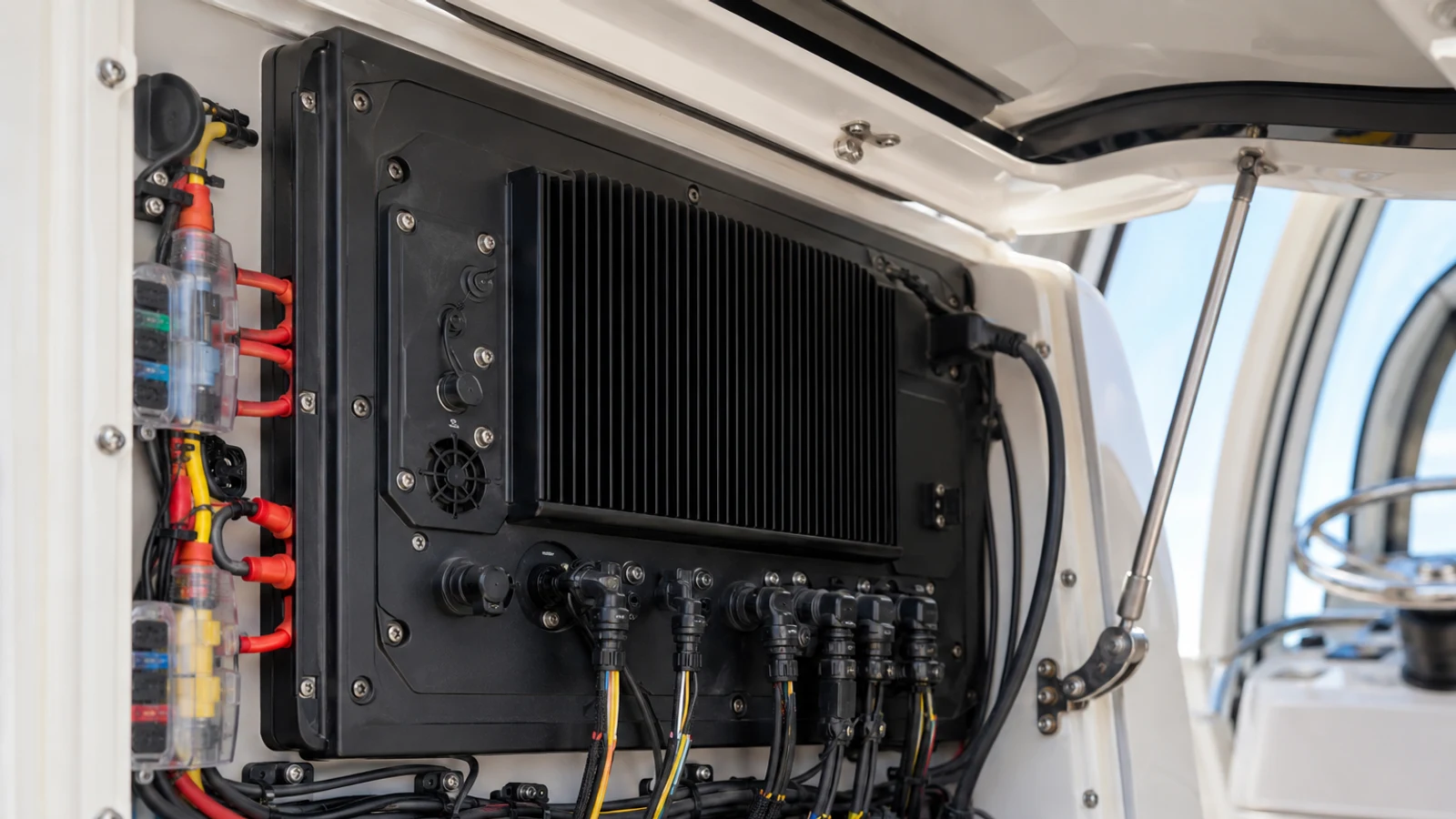
Random reboots often begin in wire, connectors or batteries. Measure voltage at the display during engine cranking and under load. Inspect grounds, fuse holders and network power. A new unit on an old undersized feed may behave exactly like the old “bad” unit.
Plan electrical capacity for radar, sonar modules, network and a second display. Add clean circuit protection and label it. Service access is part of reliability; a fuse hidden behind an immovable panel is not accessible when the screen dies outside the harbor.
The second operator test
Hand the helm to another regular adult. Can that person return to the main chart, zoom appropriately, identify the boat’s position, read depth and mark a waypoint? If not, the system has not been commissioned. A capable owner standing beside an incapable crew is a single point of failure.
Create a simple home screen and leave advanced fishing or engine pages one layer away. Practice a person-overboard mark and a route reversal. Label physical controls if necessary. Training costs nothing but attention and can outperform a second thousand dollars of hardware.
The best marine-electronics upgrade is often the moment when the second adult aboard stops saying, “I don’t know how to use this.”
A staged upgrade plan
Stage one may be clean power, a seven- or nine-inch display and current chart. Stage two adds the correct transducer or VHF integration. Stage three adds radar, AIS or autopilot only when routes justify them. This sequence spreads cost and allows the crew to learn each layer.
Design the backbone from the beginning. Pull spare messenger line, leave panel access and document network connections. A staged plan should avoid buying disposable adapters or drilling a new helm hole every season.
What the complete project costs
A modest lake installation can remain under a few thousand dollars when the helm accepts a bracket mount and transom transducer. A networked coastal project can climb quickly once radar, AIS, backbone components, new transducers, panel work and labor are included. The display’s sale price may be less than half the final invoice.
Request an itemized estimate with part numbers. Confirm chart region, transducer, cable length, mounting hardware, software setup and sea trial. A cheaper quote that excludes commissioning is not necessarily cheaper.
Redundancy that is actually independent
Two screens on one network are convenient but may share power, antenna and software failure. Keep a charged handheld VHF, independent position source and offline or paper chart appropriate to the route. Know how to navigate home at reduced capability.
A phone or tablet is a valuable backup when charts are downloaded and power is protected. Heat, spray and battery limits remain. Redundancy is not the number of glowing rectangles; it is the number of failures the crew can absorb without losing essential awareness.
When not to upgrade
Keep the current unit when it is reliable, readable, supported and familiar. Update charts, clean power connections and improve mounting before replacing it. Spend on training, VHF, life jackets or overdue engine maintenance if those are the actual weaknesses.
Electronics age, but urgency is often manufactured. The correct replacement moment arrives when support, visibility, integration or reliability no longer match the route—not when a trade-show video makes panning look slow.
The practical verdict
For a small inland boat, seven inches with a correct chart and transducer is often enough. For family cruising and regular split-screen use, nine inches provides a real usability gain. For coastal travel, plan the chartplotter as part of radar, AIS, VHF, autopilot and power—not as a screen purchase.
Then reduce the page clutter, train the crew and look outside. The chartplotter’s purpose is to support attention, not become its destination.
Frequently asked questions
Is a 7-inch chartplotter big enough?
It can be for compact helms and single-pane use. Nine inches is more comfortable when chart and sonar or radar share the display.
Should I buy radar for lake boating?
Most ordinary lake boating does not justify radar, but large fog-prone lakes and specific routes may. Assess normal conditions, traffic and crew training.
Why does my chartplotter reboot when the engine starts?
Voltage drop, weak batteries, undersized wire or corroded connections are common causes. Measure power at the unit during cranking before replacing the display.